Additional incoming email addresses
Very often your company has several email addresses for your customer to use, and SmartDialog is made to help you maintain the ammount of email adresses you want to keep, but still be able to centralize them in one system.
SmartDialog easily lets you add multiple incoming email addresses and link them up to any of your expertises.
Follow this quick guide to set up multiple in your SmartDialog:
- Open SmartDialog Setting as a SuperUser(administrator)
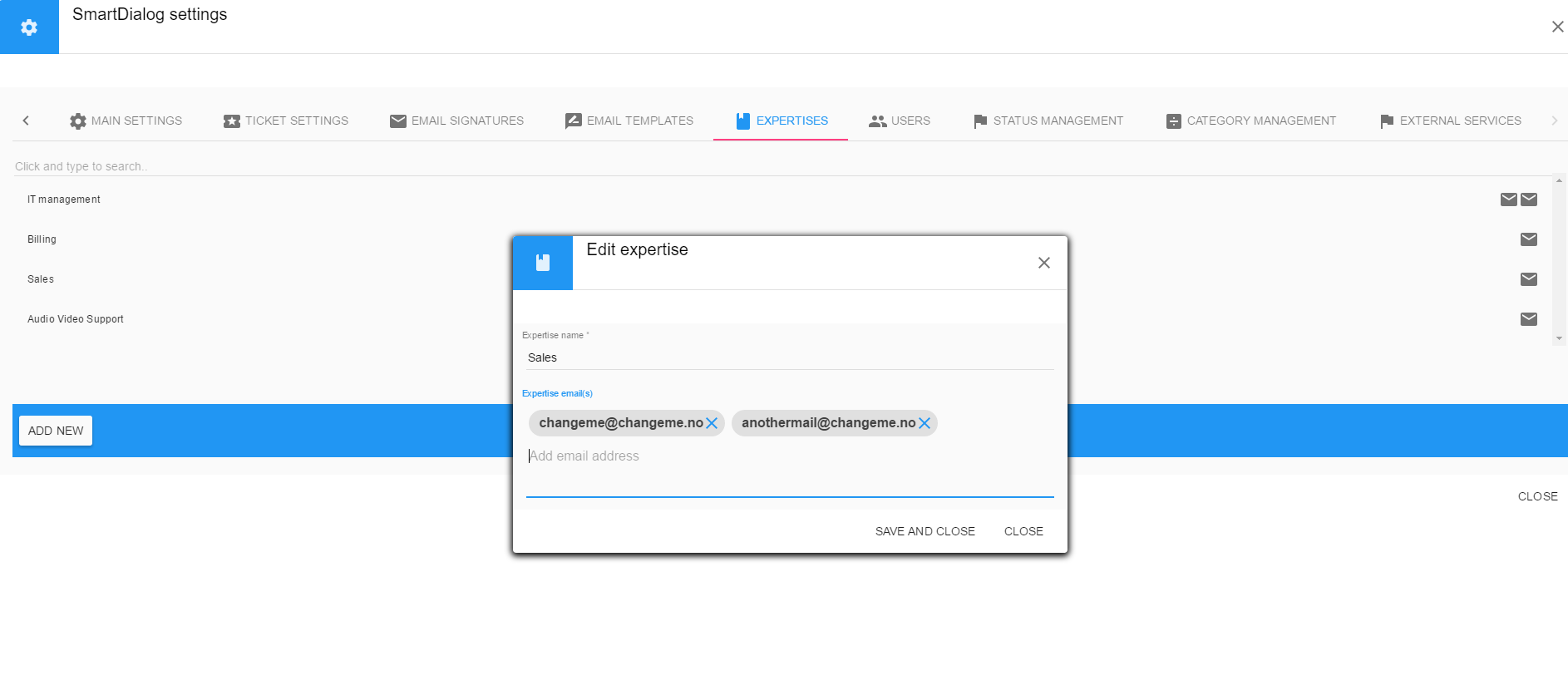
- Select tab "Expertises" and then you can either add or edit a expertise.
- Under "Expertise emails" upon opening or creating a expertise you can add additional emails that are to be connected to this expertise.
NB! If you create a new expertise you must remember to give agents access to it from the Users menu.